Hair Color & Hairstyle Try On
- 4.4
- Rating
- 100.00K
- Installs
- Free
- Price
 Analysis by App-foxy
I approached Hair Color Try On – AI Changer as a practical beauty app rather than a replacement for a salon consultation. Its main appeal is simple: it gives me a way to preview hair-color ideas and experiment with virtual looks before making a real decision. That makes it useful for the moment when I am curious about a change but not ready to commit to dye, bleach, or an appointment.
The app comes from Toon Tech Ltd and sits in the beauty category. It is free to install, rated for Everyone, and works on Android devices running version 7.1 or later. Its current version is 9.3.3, and the app has passed 50 thousand installs with an average rating of 4.3 from around 1.8 thousand ratings. Those figures suggest that it has found a real audience, although I would still treat the visual results as guidance rather than a promise of how a color will look in person.
What to expect from the first screen
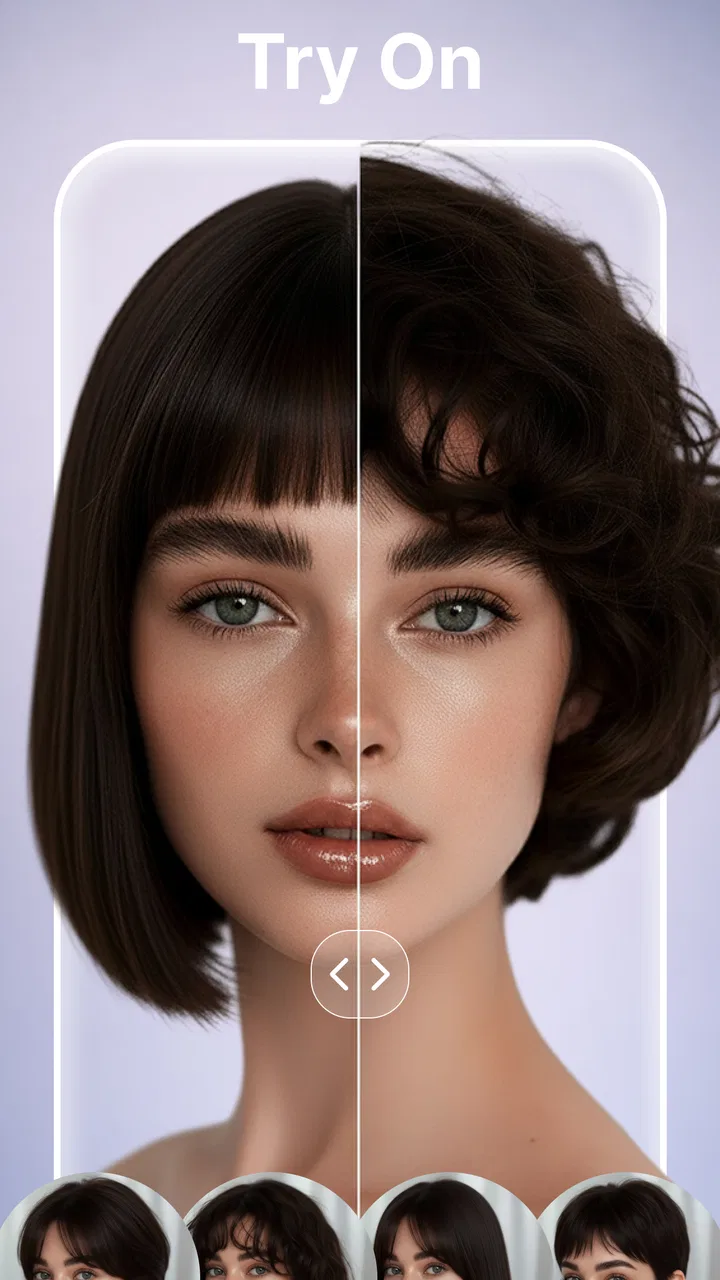
The best way to understand this app is to think of it as a visual decision-making tool. I can use it to compare shades, imagine a different hairstyle, or prepare a clearer idea before speaking with a stylist. The store summary highlights AI hair analysis, virtual hairstyle changes, and hair-color try-ons, so the experience is centered on transforming an image rather than teaching hair care or replacing professional advice.
You May Also Like

 AccuWeather: Weather Radar
AccuWeather Review: A Quick, Clear Forecast for Everyday Decisions
For everyday plans, the best forecast is the one you can understand quickly. AccuWeather makes rain timing, radar, and local conditions easy to act on, with a few trade-offs.

 Hill Climb Racing
Why Hill Climb Racing Still Turns Crashes Into One More Run
A tiny car, a bumpy hill and one more upgrade: Hill Climb Racing keeps resurfacing because its simple chaos makes every near-miss feel personal.

 AliExpress - Shopping App
AliExpress Makes Global Shopping Feel Personal, but Shoppers Bear the Risk
AliExpress turns a global marketplace into a pocket-sized discovery engine. Its reach is useful, its shopping loop compelling, and its trade-offs easy to miss.

 Lords Mobile: Kingdom Wars
Lords Mobile Is a Kingdom-Building Routine, Not a Quick Match
A case-by-case verdict on the building, battles, device demands, and social commitments that make Lords Mobile rewarding for some players and exhausting for others.

 PDF Scanner app - TapScanner
TapScanner Makes Paperwork Easier to Capture, Check, and Share
TapScanner makes scanning with a phone feel less like a rescue operation and more like a dependable step in getting work done. Its capture tools are useful, though not flawless.

 Block Blast!
 Shows How Much a Puzzle Game Can Leave Out
A quiet grid game shows why puzzle players increasingly value instant clarity, repeatable skill and low-pressure play—and where the genre still needs to catch up.
More From Our News Desk
View All News


That distinction matters. A virtual preview can help me decide whether I prefer a warmer brown, a cooler tone, or something more dramatic, but it cannot fully reproduce the way real hair reflects light, how previously colored hair reacts, or how a shade will look after several washes. I found the app most valuable when I used it to narrow down possibilities instead of asking it to make the final decision for me.
The free starting point lowers the barrier to trying it. However, in-app purchases range from $6.99 to $59.99 per item, so I would pay attention to any upgrade screen before confirming a purchase. Someone who only wants a quick experiment should first explore what is available without spending money. Someone planning a major change may find paid options worthwhile, but only after deciding that the previews are clear enough to influence a real choice.
Prepare a photo that gives the app a fair chance
My first useful tip is to choose the image before opening the editor. A front-facing photo with the hair visible, even lighting, and minimal obstruction gives the analysis a better starting point than a dark selfie, a side angle, or a picture where the hair blends into the background. This is not a special trick limited to one app; it is especially important here because the quality of the preview depends heavily on how clearly the hair can be separated from the face and surroundings.
I would also avoid judging a shade from a single image. If I were considering a color for everyday life, I would test a second photo taken in different lighting. A look that seems natural indoors can appear much stronger in daylight, while a subtle shade may disappear in a dim room. Comparing images helps me separate the app’s rendering from the effect of the original photograph.
Getting through the initial setup without overthinking it
For a first-time user, the setup should be approached as a short path toward one clear test: upload or select an image, apply one believable color, and inspect the result. I would not begin by trying every available style. Too many changes at once make it difficult to know whether a result looks good because of the color, the hairstyle, the lighting, or the way the image was framed.
Start with a shade close to the current hair. This creates a useful reference point and makes it easier to notice how the app handles the edges, texture, and roots. Once that baseline looks convincing, move toward a more noticeable variation. This two-step method is more informative than jumping immediately to an extreme transformation because it reveals whether the app is tracking the hair consistently.
When using an image with long hair, I would check the ends and the area around the shoulders first. Those parts can be harder for an automated editor to distinguish from clothing or the background. With short hair, I would inspect the hairline and sides of the head. These checks take only a moment, but they prevent me from mistaking a rough selection for an exciting new look.
The first successful action should be deliberately modest
The first meaningful success is not the most dramatic makeover. For me, it is a believable preview that answers one practical question: “Would I actually consider this color?” I would begin with a natural brown, a darker tone, or another change that still resembles the original image. If the result follows the hair cleanly and preserves the overall appearance of the face, I know the app is useful for my particular photo.
After that, I would save the visual comparison outside my imagination by looking at the original and edited versions side by side. This is a better test than staring at the changed image alone. A transformation can feel impressive simply because it is different. The side-by-side view helps me decide whether it is flattering, realistic, and suitable for the kind of change I am considering.
A particularly useful workflow is to create a small shortlist rather than collecting endless variations. I might keep one safe option, one warmer option, and one more adventurous option. Then I can show the shortlist to a friend or take it to a stylist. The app becomes a communication aid: instead of describing “something lighter but not too bright,” I can point to a visual direction.
How the AI previews help with real decisions
The AI hair analysis is most helpful when I use it to organize uncertainty. I often know that I want a change but cannot picture myself with it. Seeing several possibilities makes the decision less abstract. It can also reveal that the color I imagined is not the color I actually prefer once it is placed around my face.
There is a subtle advantage in testing neighboring shades. Rather than comparing black with a bright fashion color, I would move gradually through related tones. This shows whether my preference is about depth, warmth, brightness, or contrast. That insight is more useful than simply choosing the most eye-catching preview. It can also give a stylist better information about what I want adjusted.
Another practical use is planning around an event. If I were thinking about changing my hair before a holiday, celebration, or new job, I could use the app to eliminate ideas that feel too bold and keep alternatives that still feel like me. I would not treat the result as a guarantee, but it could reduce the risk of making a rushed decision based on a vague mental picture.
Where the preview can mislead you
Hair color is affected by the starting shade, previous treatments, hair porosity, lighting, and the condition of the hair. A virtual overlay cannot account perfectly for all of those variables. For example, a light color shown on dark hair may look clean in the image while requiring significant real-world lightening. That process can change the result and may affect the condition of the hair.
This is why I would use the app differently for a temporary tint and a major bleach-based transformation. For a small tonal shift, the preview may be a reasonable visual reference. For a dramatic change, I would bring the image to a professional and ask what would be needed to reach it safely. The app can help me express the target, but it should not be treated as a technical formula.
Skin tone and camera processing also influence my impression. Automatic brightness, filters, and indoor lighting can make a color appear more flattering or more intense than it would normally look. If an option seems perfect only in one heavily processed selfie, I would test it again with a more ordinary photo before taking it seriously.
Common confusion during color and hairstyle testing
One source of confusion is assuming that a virtual hairstyle and a virtual color answer the same question. They do not. A hairstyle changes shape, volume, or framing, while a color changes contrast and mood. If I apply both at once, I may not know which part of the result I like. My recommendation is to test color first, then hairstyle, and finally combine them only after each element works on its own.
Another mistake is judging the preview only by how realistic it looks at a glance. I zoom in mentally on the hairline, parting, loose strands, and ends. Small inaccuracies are easier to notice in those areas. If the color looks attractive but the edges are distracting, I would treat it as inspiration rather than a reliable preview.
Users may also wonder whether the app is suitable for professional color matching. I would say it is better for inspiration and comparison than for selecting an exact salon formula. A stylist still needs to assess the real hair, its history, and the achievable result. The strongest handoff is to show the chosen image while explaining what you like about it, such as the depth or warmth, instead of asking for an exact copy.
Making the free experience useful
Because the app is free to install, I would explore one complete workflow before considering an in-app purchase. Choose a clear photo, test a nearby shade, compare it with the original, and decide whether the result is useful enough to justify further experimentation. This prevents the common mistake of paying first and only then discovering that the editor does not suit your photos or expectations.
The purchase range is wide, from $6.99 to $59.99 per item, so I would read each offer carefully and avoid assuming that every feature is included in every option. The right value depends on how often I expect to use the app. If I only need a single idea for an appointment, a large purchase may not make sense. If I regularly plan changes or create several visual options, the cost may be easier to justify, provided the available tools genuinely improve my workflow.
I would also keep a personal record of which image produced the most believable result. That sounds simple, but it is an overlooked advantage. If one photo has clean lighting and a visible hairline, it can become my reference image for comparing later ideas. Consistency makes the comparisons more meaningful than switching between unrelated selfies.
Who will get the most from this app
This app is a good fit for someone who enjoys experimenting before making a beauty decision. It is especially practical for people who are undecided between several shades, want to communicate an idea to a stylist, or feel nervous about making a visible change. It also suits curious users who want a low-commitment way to explore their appearance.
I can imagine using it on an ordinary evening before booking an appointment. I would take a clear photo, test a shade close to my current color, then try two alternatives. After comparing them in normal room light and daylight, I would choose one or two images to show the stylist. That process turns a vague plan into a focused conversation without pretending that the app can perform the coloring itself.
It is less suitable for someone seeking exact professional color formulation, hair-health guidance, or a guaranteed preview of a complicated transformation. People who dislike experimenting with photos may also find the process unnecessary. In those cases, a consultation with a stylist or a simpler reference-image search may be a better use of time.
How it compares with the usual alternatives
The usual alternative is to browse social media photos or salon galleries. Those sources can provide more realistic examples of finished hair, but they rarely show how the same change might look on me. Hair Color Try On – AI Changer offers a more personal comparison, even though its result is still simulated.
A salon consultation is more reliable for feasibility, maintenance, and hair condition. It can account for details that an image editor cannot. The trade-off is that a consultation takes more time and may happen after I have already formed an idea. I see this app as useful before that conversation, not as a substitute for it.
Manual photo editors may offer more general control, but they can require patience and editing skill. This app is more focused on hair-related experimentation, which makes it more approachable for a first-time user who wants a direct answer rather than a full image-editing project. The compromise is that I have less control over every individual strand or adjustment.
My practical verdict after using it
I like Hair Color Try On – AI Changer most when I treat it as a rehearsal space. It helps me move from “maybe I should change my hair” to a small set of visual options that I can evaluate and discuss. The AI approach makes the process quicker than manually coloring a photograph, and the combination of hairstyle and color previews gives the experiment more context than a simple shade chart.
Its limitations are important, though. Lighting, photo quality, hair texture, and the difference between simulated and real color can all affect the result. I would not use a striking preview as proof that the same transformation will be easy, affordable, or healthy to achieve. The app is strongest at inspiration, comparison, and communication.
For a first-time user, my advice is to begin with one clear photo and one realistic color change. Inspect the hairline and ends, compare the result with the original, and only then explore bolder styles. If the previews help you explain what you want, the app has done its job. If you need exact technical advice, a professional remains the better next step.
Overall, I would recommend trying it to anyone who wants to visualize a hair-color decision before committing. The free entry point makes experimentation approachable, while the Everyone rating keeps it accessible to a broad audience. Just remember that the most valuable result is not a perfect prediction; it is a clearer idea of what you like, what you should ask for, and which changes are worth discussing in real life.
FAQs for Hair Color & Hairstyle Try On
01What features does Hair Color Try On – AI Changer offer?
Hair Color Try On – AI Changer provides an innovative way to experiment with different hair colors using augmented reality and AI technology. The app allows users to try on a variety of colors and styles in real-time, offering a realistic preview of potential changes. It also includes a color palette, customization options, and the ability to save and share photos.
02Is Hair Color Try On – AI Changer easy to use for beginners?
Yes, the app is designed with user-friendliness in mind, making it accessible even for those new to digital hair styling. Its intuitive interface guides users through the process, from selecting a hair color to taking a photo and applying changes. Step-by-step instructions and tips are provided to enhance the user experience.
03Does the app require any special permissions or internet access?
Hair Color Try On – AI Changer requires access to your device's camera to capture images and apply hair color changes. It may also request permission to access your photo gallery for saving and sharing styled images. While an internet connection enhances the app's functionality, especially for downloading additional styles, basic features can be used offline.
04Are there any costs associated with using Hair Color Try On – AI Changer?
The app offers a free version with basic features, which includes a limited selection of hair colors and styles. However, for a more comprehensive experience, users can purchase additional color packs and premium features through in-app purchases. These offer more customization options and access to exclusive content.
05How accurate are the hair color simulations in the app?
Hair Color Try On – AI Changer utilizes advanced AI technology to provide highly accurate and realistic hair color simulations. While the app strives for precision, results may vary depending on lighting conditions and the original hair color. Users are encouraged to experiment with different settings to achieve the best results.
Pros
- Realistic color simulations enhance user experience.
- Wide variety of shades to explore and try.
- User-friendly interface simplifies navigation.
- Instant photo upload for quick results.
- No account required for basic features.
Cons
- Limited features in free version.
- Occasional app crashes reported by users.
- In-app ads can be intrusive.
- Some colors may appear unnatural.
- Requires internet for full functionality.

Hair Color & Hairstyle Try On
Gallery